

A Jeton Cloud product
footerio: every email signature in the company under control
footerio is our platform for managing email signatures centrally. You connect Microsoft 365 or Google Workspace, design the signature and assign it to people or groups. Employee data fills in from the directory on its own.
- One consistent signature in Outlook and Gmail
- Nothing to install on employee computers
- No access to mailbox content, data in the EU
- Free for up to 5 people, forever
- Microsoft 365
- Google Workspace
- EU data
- Jeton Cloud: ISO/IEC 27001
Why a company needs central signatures
In most companies everyone sets up their own signature. The result is an old logo, outdated phone numbers, mixed fonts and missing company details that should appear in business correspondence.
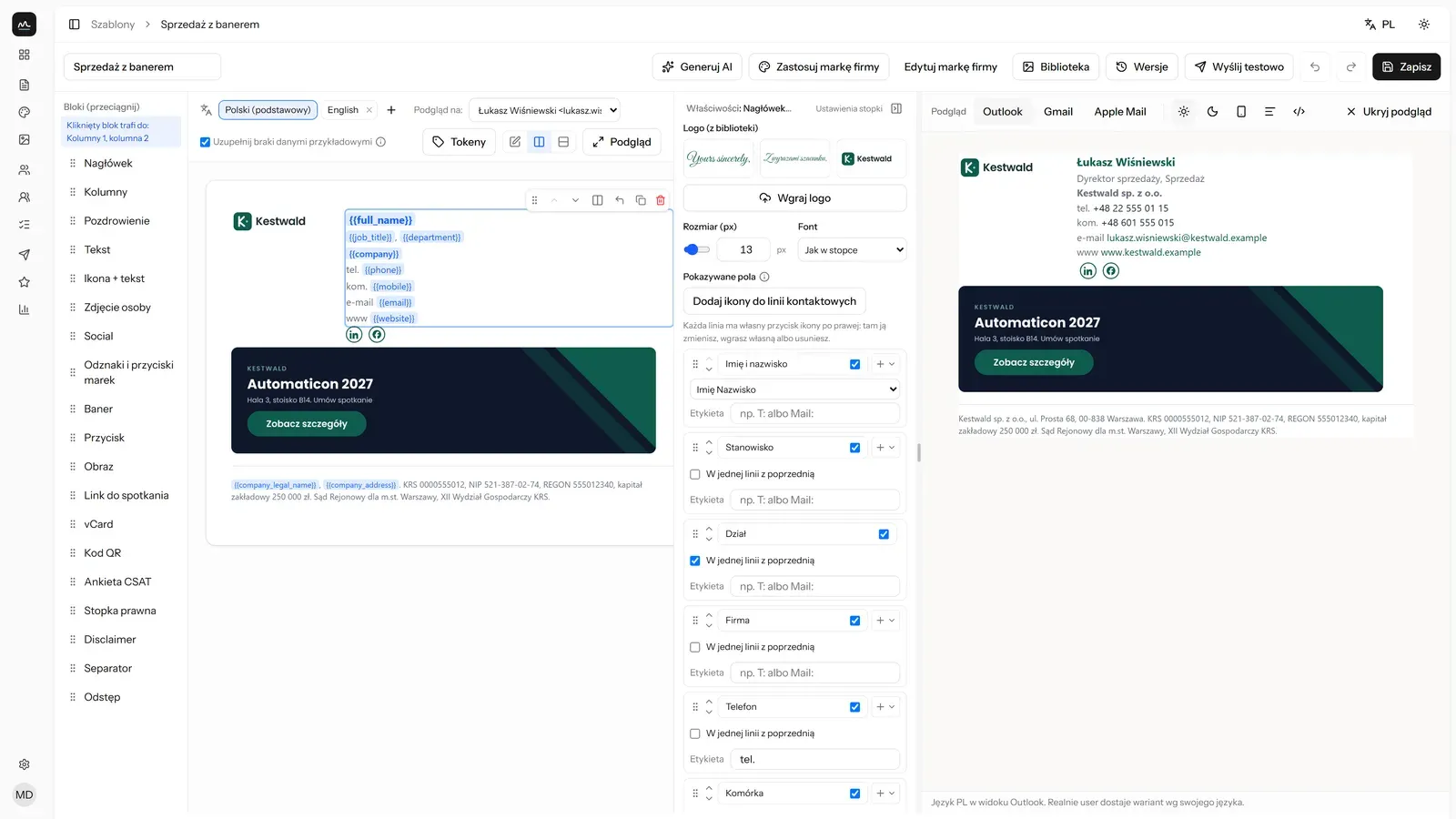
footerio moves signatures from employee computers into one panel. A new phone number, a campaign banner or a rebrand is a single edit that reaches the whole company.
We built the platform ourselves and run it on our own infrastructure. We use it in our own company too.
What you get
-
No-code builder
You build the signature from drag and drop blocks. There is a gallery of ready signatures for a dozen or so industries, a brand kit, an image library and an AI assistant that proposes a layout from your logo and website.
-
The right signature in the right place
Separate variants for new messages and replies, for internal and external mail and for languages. The signature follows the address in the From field, including shared mailboxes.
-
Assignment to people and groups
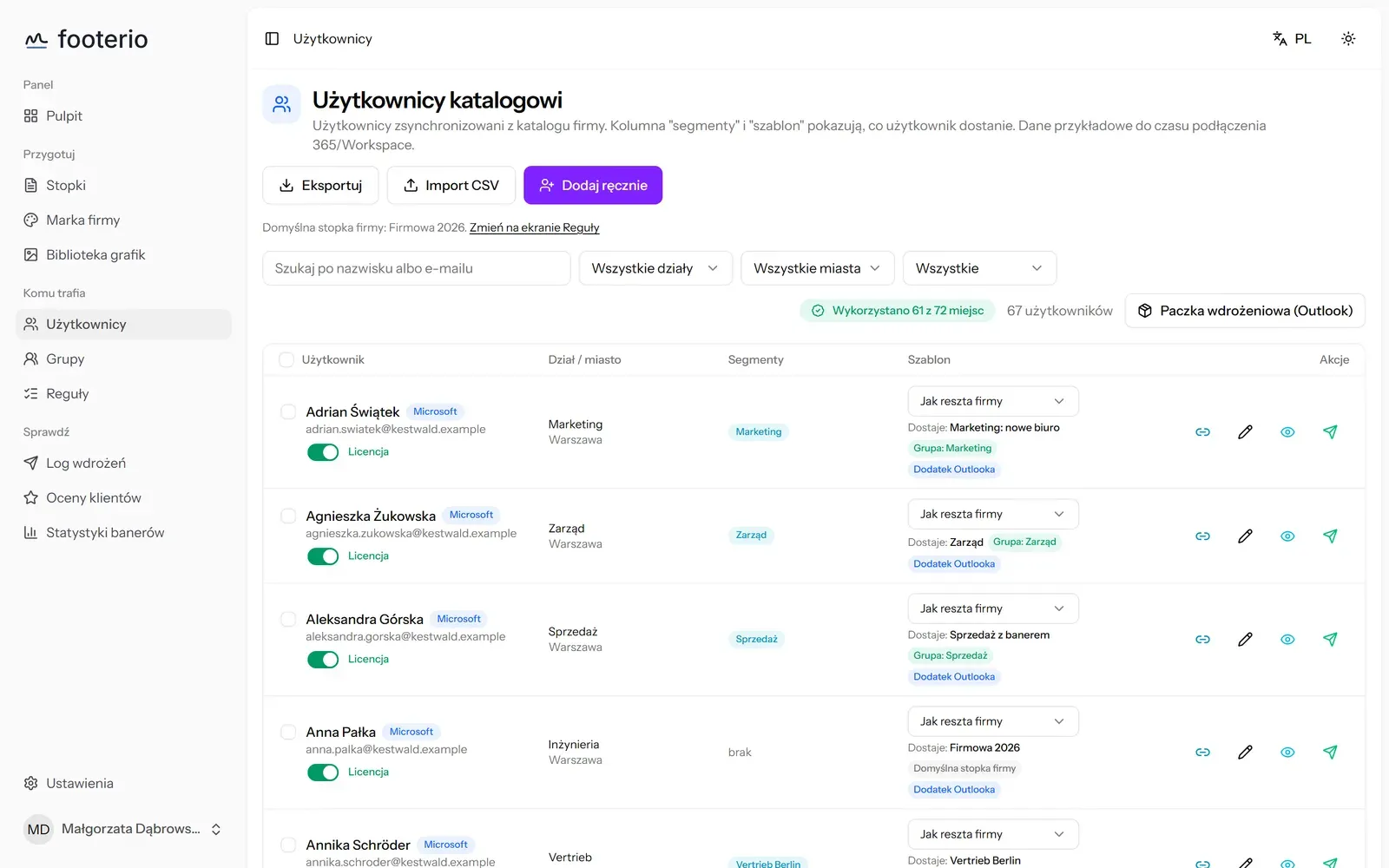
You assign signatures to people, departments or directory groups. A new person in the directory gets a signature by rule, with no manual work.
-
Banners and surveys
You run banner campaigns in the signature, with a click counter on the paid plan, and collect service ratings straight from the message.
-
Rollout log
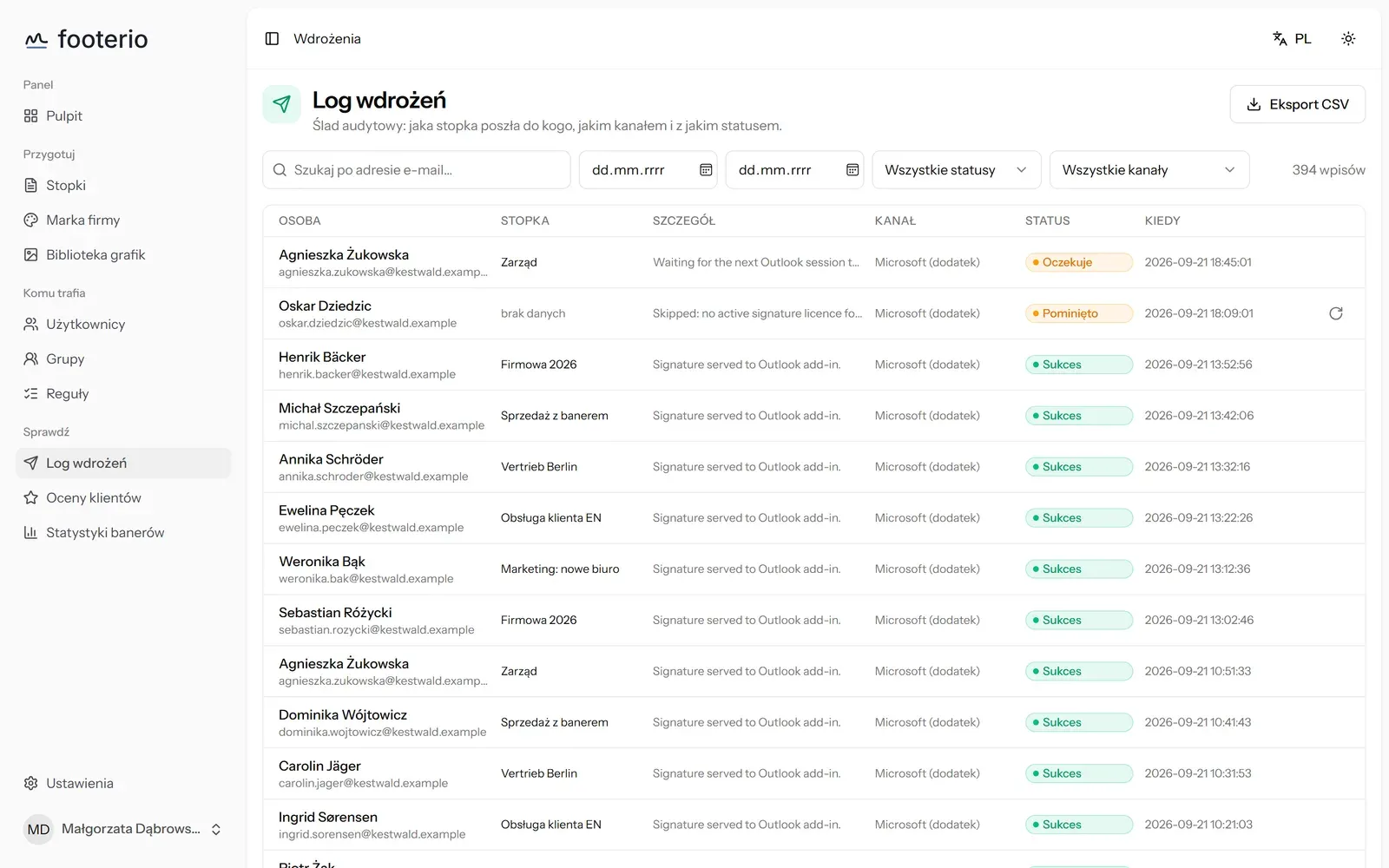
You see who received which signature and when, through which channel and with what result.
-
A mode for IT providers
Providers who serve many clients manage their signatures from one panel.
Rollout in three steps
-
You connect the directory
An administrator approves access in one click. We ask only for read access to the list of employees and groups.
-
You build the signature
You start from a template and add your logo and directory fields. The preview shows how it looks to the sender and the recipient.
-
You assign and roll out
In Google Workspace the signature is saved in Gmail settings. In Microsoft 365 a centrally deployed Outlook add-in inserts it.
How much footerio costs
You pay for seats, meaning mailboxes that receive a signature. For up to 5 people footerio is free, forever. Above that the rate per seat drops as the number of seats grows.
Current prices and a cost calculator are on the product site. See full pricing
Who it is for
-
Companies on Microsoft 365
An Outlook add-in deployed once by the administrator inserts the signature. Employees set up nothing.
-
Companies on Google Workspace
The signature is saved server-side, so it works in the browser, in the app and on the phone.
-
Marketing and IT
Marketing changes the banner and signature content on its own, while IT keeps control over who gets what.
Security and data
- We ask only for read access to the directory and, in Google Workspace, write access to the signature itself and to the automatic reply if you use it.
- We have no access to message content and do not route mail through our infrastructure.
- We process data in the European Union, in data centres in Warsaw and Germany.
- After you disconnect, we keep directory data for 30 days and then delete it.
- A data processing agreement is available for signature and the subprocessor list is public.
- Jeton Cloud holds an ISO/IEC 27001 certificate and is an authorised Microsoft CSP partner.
We can roll it out for you
The product works on its own. If you would rather have someone set it up and look after it, that is what we do every day.
Built and run by Jeton Cloud
We develop the product ourselves and host it on our own infrastructure in the EU.
From the Jeton Academy
- Article Outsourcing IT in a law firm, professional secrecy and continuity of work A law firm processes data whose leak ends not only in a fine, but in a loss of client trust. We show how to arrange IT around professional secrecy and continuity of work.Outsourcing
- Guide Cybersecurity IT Security Checklist for SMEs Security in an SME does not have to be expensive or complicated. It has to be done. Here is a list of points that genuinely reduce risk, ordered so you can tick them off.Cybersecurity
- Guide Cybersecurity How to deploy MFA in your company step by step MFA is the cheapest way to make a stolen password no longer enough to break in. We show how to deploy it in your company calmly, without a user revolt or locked accounts.Cybersecurity
Frequently asked questions
Is footerio really free?
Yes, for up to 5 people, forever. From the sixth person you pay for seats. The banner click counter is available on the paid plan.
Do we need to install anything on computers?
No. In Google Workspace the signature is saved server-side. In Microsoft 365 the administrator deploys the Outlook add-in once, centrally.
Can footerio read our messages?
No. The platform has no permission to read mail, and messages do not pass through it.
What is a seat and how is the bill calculated?
A seat is a mailbox that receives a signature. The number of seats changes only when an operator changes it, so the bill does not grow on its own.
Will you roll out footerio for us?
Yes. If we manage your Microsoft 365 or Google Workspace, we roll out signatures as part of the service. We can also do the rollout alone.
See it on the product site: footerio
Let us talk about your project
Answer 2 questions about your company. You will see a simple estimate right away, and we will prepare a full proposal within 24 business hours.
- 2 minutes, no commitment
- You talk to an engineer, not a salesperson
- No spam, one contact about your quote